Content:
Introduction
We've all been there — sitting in the one corner of the house where WiFi barely reaches, watching a video buffer endlessly. Before you spend money on a WiFi extender, try this: a simple aluminum foil hack that redirects your router's signal exactly where you need it most.
What You'll Need
A roll of aluminum foil
Scissors
Cardboard or a stiff piece of paper (optional, for shaping)
Tape
Step-by-Step Instructions
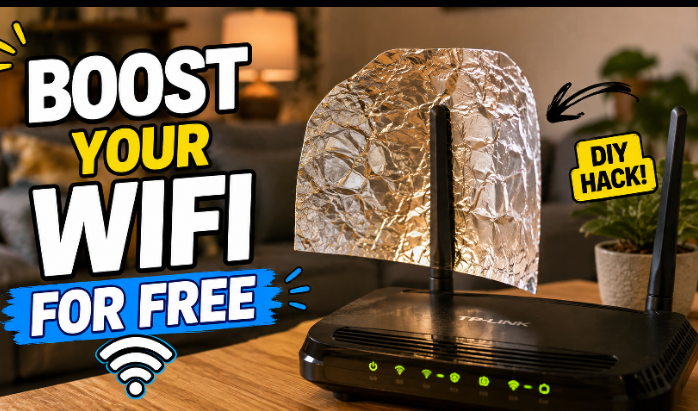
Cut your foil. Cut a piece of aluminum foil roughly the size of a small plate — big enough to curve around your router's antenna.
Shape it into a curve. Fold the foil into a gentle "C" or parabolic curve, similar to a satellite dish shape. If it feels flimsy, back it with a piece of cardboard for support.
Position it behind the antenna. Place the curved foil directly behind your router's antenna, with the open/reflective side facing the direction you want the signal boosted toward (like your bedroom or work area).
Secure it in place. Use tape to hold the foil steady so it doesn't shift or fall over.
Test your signal. Walk to the area that previously had weak WiFi and check your signal strength or run a speed test to compare before and after.
Adjust as needed. Fine-tune the angle of the foil until you notice the strongest improvement in your target area.
Pro Tips
This works best on routers with external antennas — it reflects signal rather than amplifying it, so don't expect miracles through thick walls.
Combine this with placing your router in a central, elevated location for even better results.
If you have a dual-antenna router, try foil on both for wider coverage.
Conclusion
It sounds too simple to work, but this classic hack genuinely helps redirect signal into weak spots — and it costs nothing since foil is already in most kitchens. Relatable, free, and instantly testable, which is exactly why hacks like this get shared so much.